✨ AI PowerPoint Add-In

Turn rough ideas intobeautiful PowerPointdecks in seconds.

IntelliSlide helps consultants and strategy teams turn thoughts into decks without losing speed inside the tool they already use.

Inside PowerPoint
Get started for free
Draft and edit with confidence
IntelliSlide
Slide 4 of 12
Draft a market overview slide from these Q3 notes — match our template.
Proposed outline
  • Market size & growth outlook
  • Key segments and demand drivers
  • Competitive landscape snapshot

Approve the outline and I'll build the slide on your master — charts, colors, and branding included.

Ask IntelliSlide to create or edit a slide…

IntelliSlide

Trusted by teams that live inside PowerPoint.

  • Booz Allen Hamilton
  • Boston Consulting Group
  • GDIT
  • Schneider Electric
  • University of Pennsylvania
  • Klaviyo

What the add-in helps you do

Spend less time wrestling with slides and more time improving the story.

You can start faster, revise faster, and send cleaner decks with less manual cleanup.

Start faster
Go from brief to first draft fast
Turn a topic, a prompt, or rough notes into a structured outline your team can react to in minutes.

Give everyone something concrete to shape instead of staring at a blank deck.

Revise faster
Edit slides instead of starting over
Rewrite copy, expand thin slides, and tighten dense ones without rebuilding the deck by hand.

Refine what's already there, so late-stage edits stay calm instead of chaotic.

Ship cleaner
Keep decks on-brand and client-ready
Move quickly without letting slides drift off-brand, off-message, or off-template.

Hold a client-ready standard without a cleanup scramble right before you send.

Examples

See the slide types strategy teams can draft with IntelliSlide.

From market forecasts to company positioning pages — build any slide you need without leaving PowerPoint or formatting by hand.

Editable PowerPoint slidesCharts and calloutsStrategy-ready layouts
Example market forecast slide with chart and market trends

Market forecast slides

Turn raw market projections into a polished growth story with a chart, headline, and executive takeaway in place.
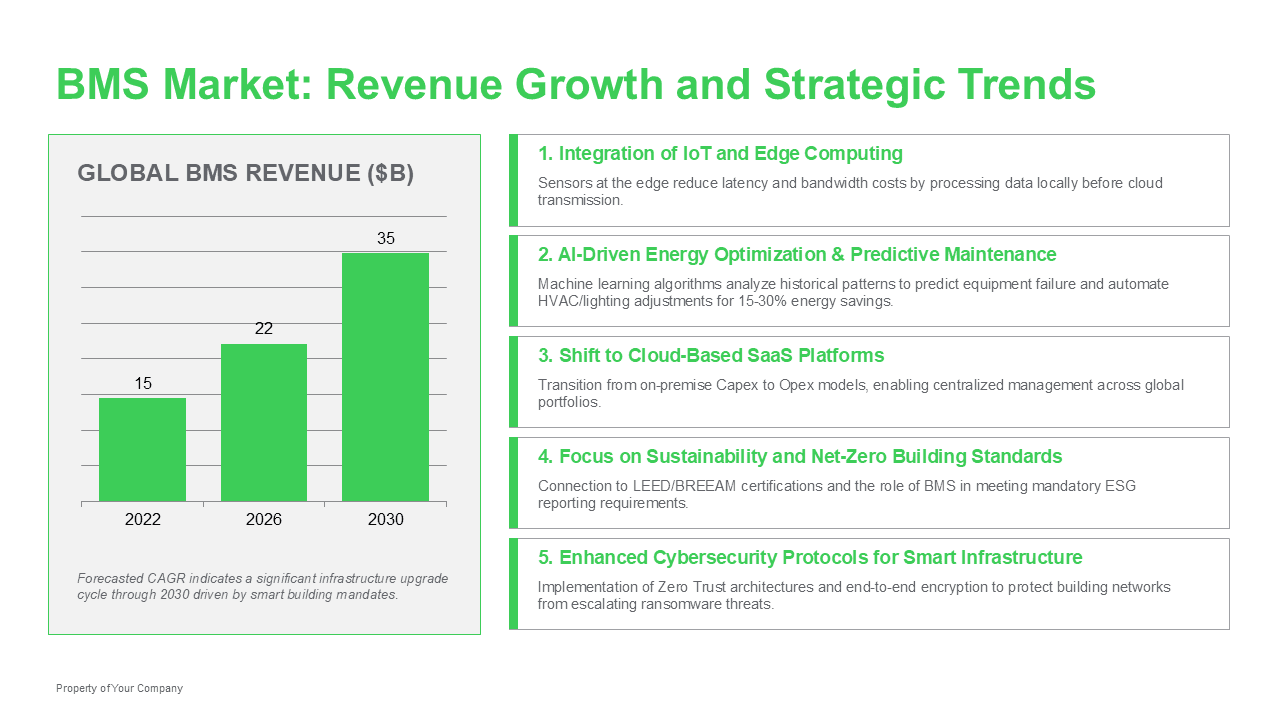
Example trend summary slide with chart and strategic insights

Trend summary pages

Package research into a strategy-ready summary that highlights the shifts, drivers, and implications worth discussing.
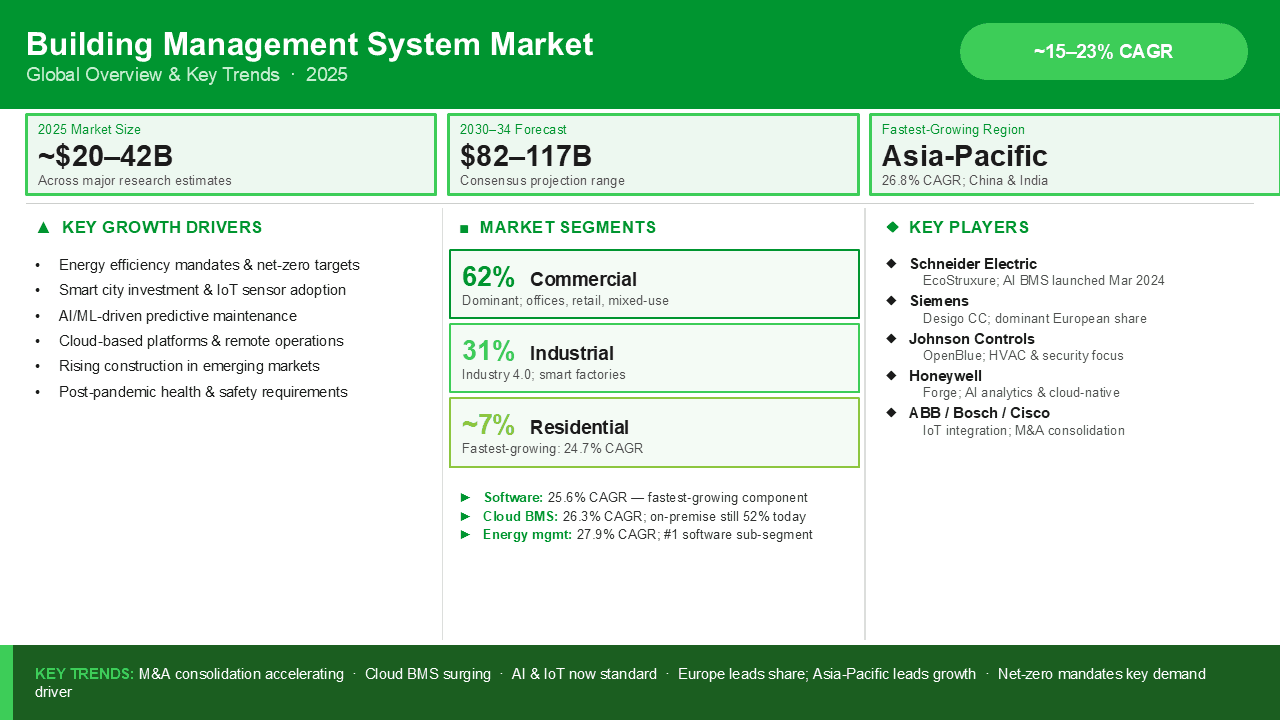
Example market landscape slide with segments and key players

Market landscape overviews

Combine market size, segment mix, growth drivers, and competitive context without rebuilding the page structure by hand.

Example slide pairing forecasted growth with company solutions

Solution and company framing

Bring revenue projections and product context onto one slide for client updates, pitches, and internal strategy reviews.

How it works

A simple flow from rough thinking to client-ready deck.

Keep the workflow linear: shape the story, generate the working draft, and tighten the final slides before you send them.

1

Shape the story

Use IntelliSlide to build an outline first, before anyone spends time polishing individual slides.

2

Generate the working draft

Ask IntelliSlide to build the slides from your approved outline — matched to your own template.

3

Refine before you send

Ask for changes in plain language until the deck is right — copy, charts, layout, and all.

Customer testimonials

Teams use IntelliSlide to get to stronger decks with less back-and-forth.

The value is not just faster slide production. It is faster story shaping, cleaner revision cycles, and fewer last-minute fixes before a deck gets shared.

Customer story
MC
We used IntelliSlide to turn a rough strategy memo into a presentable client deck before the first review even started.
Maya Chen

Engagement Manager · Northline Strategy

Customer story
DB
The add-in helped us clean up weak slides fast without losing the tone and structure our team already uses with clients.
Daniel Brooks

Director, Growth · Arbor Consulting

Customer story
PR
Instead of rebuilding every page from scratch, we could iterate inside PowerPoint and keep momentum through late-stage edits.
Priya Raman

Senior Associate · Westbridge Advisory

Customer story
MC
We used IntelliSlide to turn a rough strategy memo into a presentable client deck before the first review even started.
Maya Chen

Engagement Manager · Northline Strategy

Customer story
DB
The add-in helped us clean up weak slides fast without losing the tone and structure our team already uses with clients.
Daniel Brooks

Director, Growth · Arbor Consulting

Customer story
PR
Instead of rebuilding every page from scratch, we could iterate inside PowerPoint and keep momentum through late-stage edits.
Priya Raman

Senior Associate · Westbridge Advisory

Customer story
MC
We used IntelliSlide to turn a rough strategy memo into a presentable client deck before the first review even started.
Maya Chen

Engagement Manager · Northline Strategy

Customer story
DB
The add-in helped us clean up weak slides fast without losing the tone and structure our team already uses with clients.
Daniel Brooks

Director, Growth · Arbor Consulting

Customer story
PR
Instead of rebuilding every page from scratch, we could iterate inside PowerPoint and keep momentum through late-stage edits.
Priya Raman

Senior Associate · Westbridge Advisory

Customer story
EF
Our team got to a first draft much faster, and the review cycle shifted from layout cleanup to actual story improvement.
Evan Foster

Chief of Staff · Merit Health Group

Customer story
SA
IntelliSlide gave us a stronger starting point for board updates, especially when we only had rough notes and a hard deadline.
Sofia Alvarez

Strategy Lead · Lattice Capital

Customer story
MH
It feels built for the real presentation workflow: outline first, draft quickly, then tighten the message before it goes out.
Marcus Hill

VP, Operations · Keystone Partners

Customer story
EF
Our team got to a first draft much faster, and the review cycle shifted from layout cleanup to actual story improvement.
Evan Foster

Chief of Staff · Merit Health Group

Customer story
SA
IntelliSlide gave us a stronger starting point for board updates, especially when we only had rough notes and a hard deadline.
Sofia Alvarez

Strategy Lead · Lattice Capital

Customer story
MH
It feels built for the real presentation workflow: outline first, draft quickly, then tighten the message before it goes out.
Marcus Hill

VP, Operations · Keystone Partners

Customer story
EF
Our team got to a first draft much faster, and the review cycle shifted from layout cleanup to actual story improvement.
Evan Foster

Chief of Staff · Merit Health Group

Customer story
SA
IntelliSlide gave us a stronger starting point for board updates, especially when we only had rough notes and a hard deadline.
Sofia Alvarez

Strategy Lead · Lattice Capital

Customer story
MH
It feels built for the real presentation workflow: outline first, draft quickly, then tighten the message before it goes out.
Marcus Hill

VP, Operations · Keystone Partners

Ready to see more

Build stronger PowerPoint decks — without slowing down the people who have to present them.

Start free inside PowerPoint today, or take a closer look at how it works.