Charts & data
Change chart types, update series, and adjust how numbers are visualized — not just the labels around them.
Features
IntelliSlide is a PowerPoint add-in, not a separate slide builder. It works with your existing templates, understands your slides structurally, and lets you generate, edit, and iterate through a simple chat interface — all without leaving the tool your team already uses.
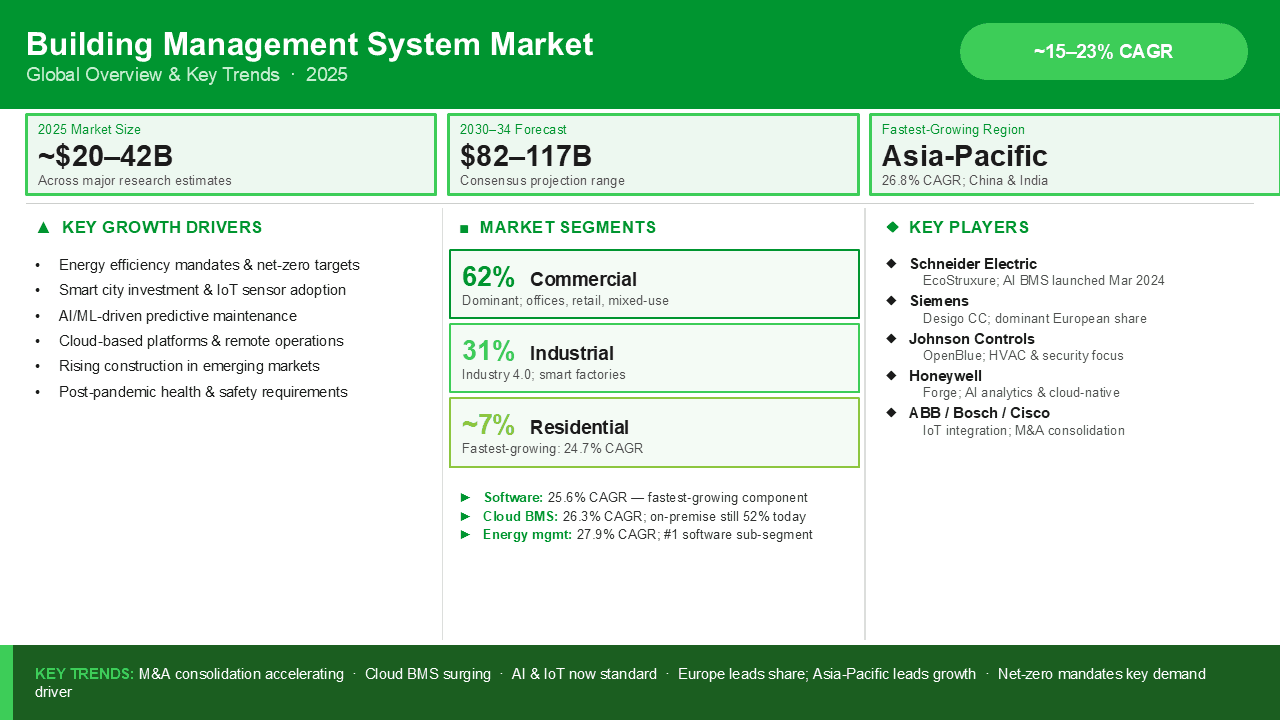
Turn a prompt, rough notes, or a topic into polished slides that match your existing PowerPoint templates — layouts, colors, and branding included.
Rewrite copy, restructure content, swap chart types, change colors, or reshape any element — all from a single chat command.
Before generating a single slide, the AI presents a structured deck outline for your review. Adjust the narrative, then commit.
No new interface to learn. Describe what you want in plain language and the add-in handles the rest — inside PowerPoint.
No tab switching, no exports, no rebuilding in a separate tool. The add-in works where your deck already does.
Corporate branding, slide masters, and layout rules are respected automatically. Outputs look like they belong in your deck.
Every new deck starts with an outline your team can review and adjust before any slides get built.
Charts, shapes, colors, and graphics are all editable. This is not just a text rewriter — it understands the full slide.
Structural editing
Most AI tools can only rewrite text. IntelliSlide understands a slide the way you do, so it can change the parts that usually force you back into PowerPoint by hand.
Change chart types, update series, and adjust how numbers are visualized — not just the labels around them.
Recolor elements to match your palette, fix contrast, and keep slides consistent with your theme.
Add, move, resize, and restyle shapes and connectors to rebuild diagrams the way you mean them.
Restructure rows and columns, reformat cells, and clean up dense tables without starting from scratch.
Place, swap, crop, and align images and icons so visuals support the point instead of fighting it.
Realign, redistribute, and reflow content so a crowded slide becomes clear and balanced.
Bring your own template
IntelliSlide builds on the template you already use, so what it generates looks like it belongs in your deck — not like it was pasted in from somewhere else.
Get started